


How to post pictures?

1. Create a facebook post
2. copy the url of the post
3. Click the second 3 . option on the option bar on bluelight comment
4. Hit the insert media icon that appears on the second level of the options
5. copy the url address under the "Enter media URL" option
6. hit "Continue"
7. hit "Post reply"

I have a google account
 
1. Create a facebook post
2. copy the url of the post
3. Click the second 3 . option on the option bar on bluelight comment
4. Hit the insert media icon that appears on the second level of the options
5. copy the url address under the "Enter media URL" option
6. hit "Continue"
7. hit "Post reply"

I don't fuck with facebook; Mark Zuckerburg is a capitalist opportunist and a pedophile.
 
Right click? So you have to do it on a pc?

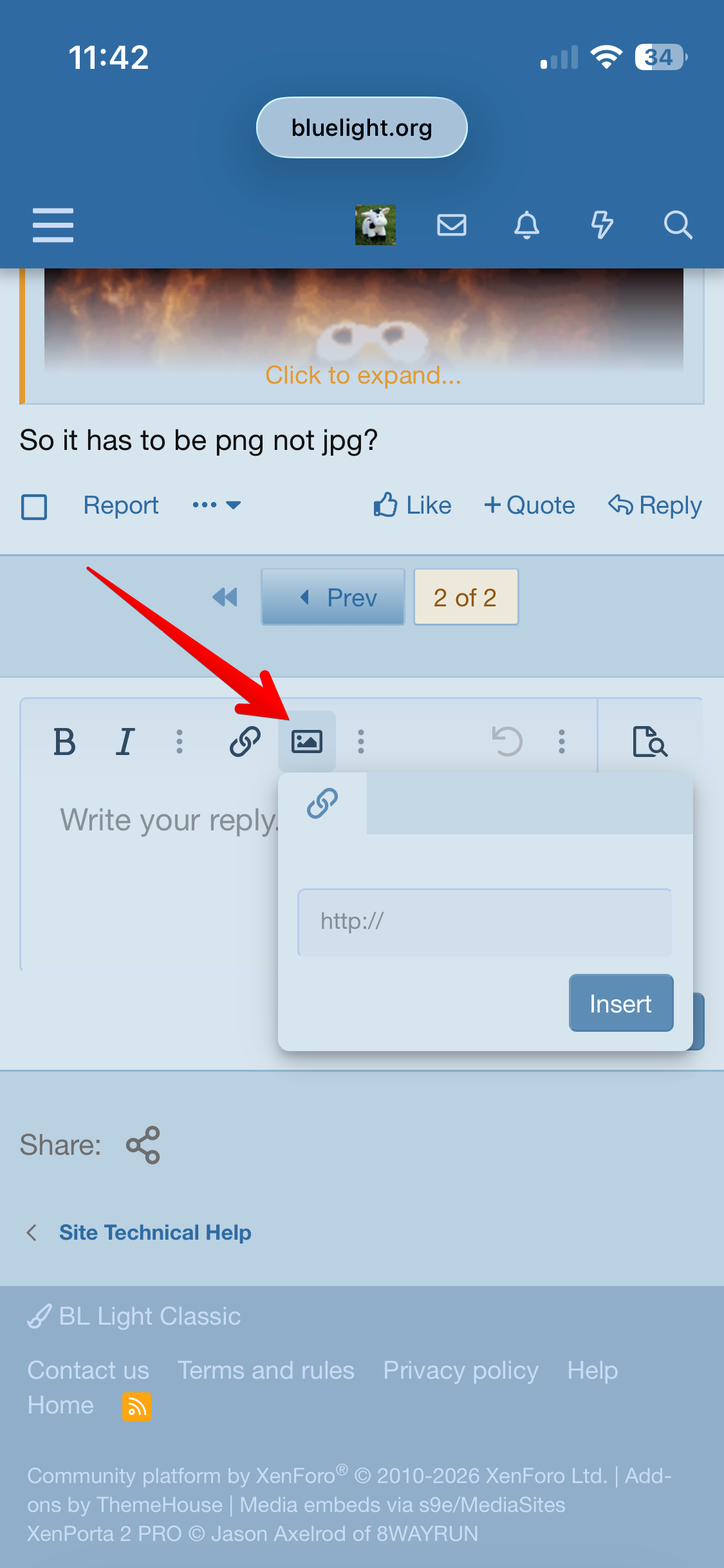
no, it's basically the same on mobile:

insert_image_mobile01.png


So it has to be png not jpg?

no. the forum supports jpg, png and gif.

alasdair
 
i removed an off-topic post.

a lot of users who are new to bluelight and bluelight board features seeks help here. please don't post noise that makes it harder to focus on the issue.

thanks.

alasdair
 
Top