


How to post pictures?

Image Uploading Site ( for uploading )

^^^ Or you can use this site.

Yeah called Post Images.

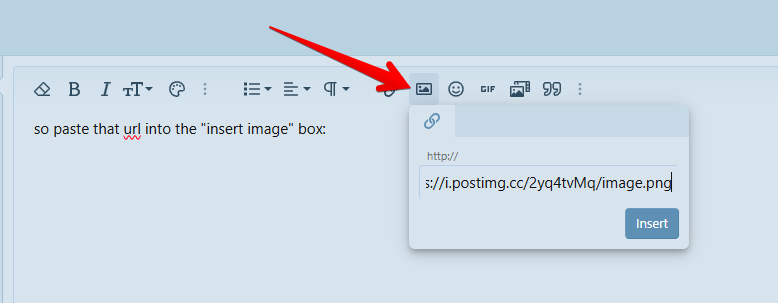
Then use the ' insert image ' option for your link. The one above on the top. The Tool Bar Option.

I'm just trying to help or two cents. 👍


K
 
Doesn't work
image.png


think you're doing it wrong, that host is fine, this pic above is hosted there, click on the insert image button and then past the link to the image from the site
Code:
https://i.postimg.cc/2yq4tvMq/image.png
 
you can't upload a picture to bluelight. you need to first upload it to an image hosting site (there are many sites that do this, many of them for free e.g. https://postimages.org/)

you'll need the url/link to the picture on the hosting site (to get the url/link just right click the image you uploaded to the hostign site and choose "copy image address"

then you add the picture to your post via the little image icon in the toolbar or just press <control><p> (windows) or <command><p> (macos) while typing your post. paste in the url/link and you're done.

alasdair
 
1. Create a facebook post
2. copy the url of the post
3. Click the second 3 . option on the option bar on bluelight comment
4. Hit the insert media icon that appears on the second level of the options
5. copy the url address under the "Enter media URL" option
6. hit "Continue"
7. hit "Post reply"
 
Top